
115 lines
2.9 KiB
Markdown
115 lines
2.9 KiB
Markdown
# Turn the speed blue
|
||
*A getting started guide for openpilot development*
|
||
|
||
In 30 minutes, we'll get an openpilot development environment set up on your computer and make some changes to openpilot's UI.
|
||
|
||
And if you have a comma 3X, we'll deploy the change to your device for testing.
|
||
|
||
## 1. Set up your development environment
|
||
|
||
Run this to clone openpilot and install all the dependencies:
|
||
```bash
|
||
bash <(curl -fsSL openpilot.comma.ai)
|
||
```
|
||
|
||
Navigate to openpilot folder & activate a Python virtual environment
|
||
```bash
|
||
cd openpilot
|
||
source .venv/bin/activate
|
||
```
|
||
|
||
Then, compile openpilot:
|
||
```bash
|
||
scons -j$(nproc)
|
||
```
|
||
|
||
## 2. Run replay
|
||
|
||
We'll run the `replay` tool with the demo route to get data streaming for testing our UI changes.
|
||
```bash
|
||
# in terminal 1
|
||
tools/replay/replay --demo
|
||
|
||
# in terminal 2
|
||
selfdrive/ui/ui
|
||
```
|
||
|
||
The openpilot UI should launch and show a replay of the demo route.
|
||
|
||
If you have your own comma device, you can replace `--demo` with one of your own routes from comma connect.
|
||
|
||
|
||
## 3. Make the speed blue
|
||
|
||
Now let’s update the speed display color in the UI.
|
||
|
||
Search for the function responsible for rendering UI text:
|
||
```bash
|
||
git grep "drawText" selfdrive/ui/qt/onroad/hud.cc
|
||
```
|
||
|
||
You’ll find the relevant code inside `selfdrive/ui/qt/onroad/hud.cc`, in this function:
|
||
|
||
```cpp
|
||
void HudRenderer::drawText(QPainter &p, int x, int y, const QString &text, int alpha) {
|
||
QRect real_rect = p.fontMetrics().boundingRect(text);
|
||
real_rect.moveCenter({x, y - real_rect.height() / 2});
|
||
|
||
p.setPen(QColor(0xff, 0xff, 0xff, alpha)); // <- this sets the speed text color
|
||
p.drawText(real_rect.x(), real_rect.bottom(), text);
|
||
}
|
||
```
|
||
|
||
Change the `QColor(...)` line to make it **blue** instead of white. A nice soft blue is `#8080FF`, which translates to:
|
||
|
||
```diff
|
||
- p.setPen(QColor(0xff, 0xff, 0xff, alpha));
|
||
+ p.setPen(QColor(0x80, 0x80, 0xFF, alpha));
|
||
```
|
||
|
||
This change will tint all speed-related UI text to blue with the same transparency (`alpha`).
|
||
|
||
---
|
||
|
||
## 4. Rebuild the UI
|
||
|
||
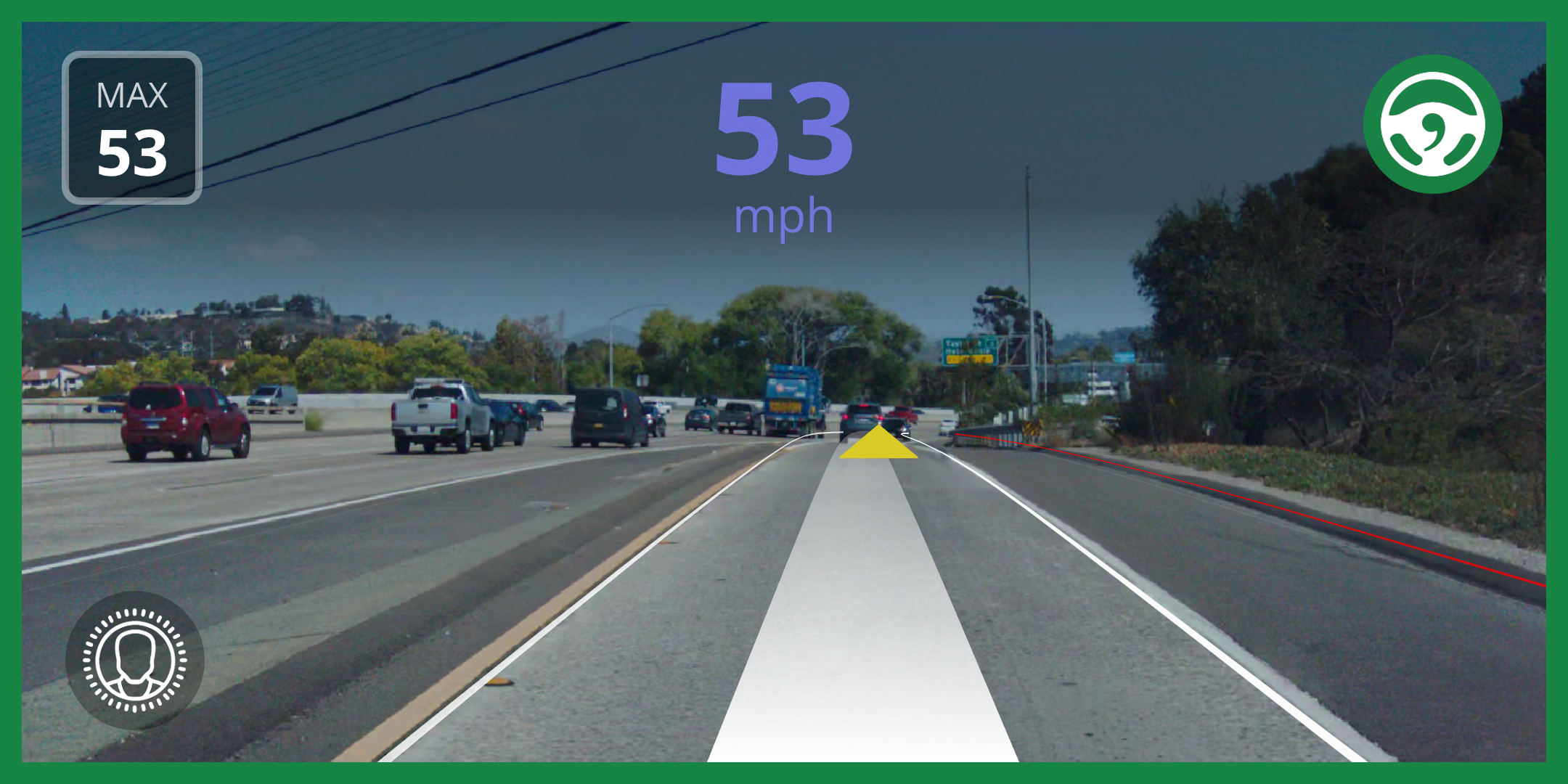
After making changes, rebuild Openpilot so your new UI is compiled:
|
||
```bash
|
||
scons -j$(nproc) && selfdrive/ui/ui
|
||
```
|
||
|
||
|
||
You should now see the speed displayed in a nice blue shade during the demo replay.
|
||
|
||
---
|
||
|
||
## 5. Push your fork to GitHub
|
||
|
||
Click **"Fork"** on the [Openpilot GitHub repo](https://github.com/commaai/openpilot). Then push with:
|
||
```bash
|
||
git remote rm origin
|
||
git remote add origin git@github.com:<your-github-username>/openpilot.git
|
||
git add .
|
||
git commit -m "Make the speed display blue"
|
||
git push --set-upstream origin master
|
||
```
|
||
|
||
---
|
||
|
||
## 6. Run your fork on your comma device
|
||
|
||
Uninstall Openpilot through the settings on your device.
|
||
|
||
Then reinstall using your own GitHub-hosted fork:
|
||
```
|
||
installer.comma.ai/<your-github-username>/master
|
||
```
|
||
|
||
---
|
||
|
||
## 7. Admire your work IRL 🚗💨
|
||
|
||
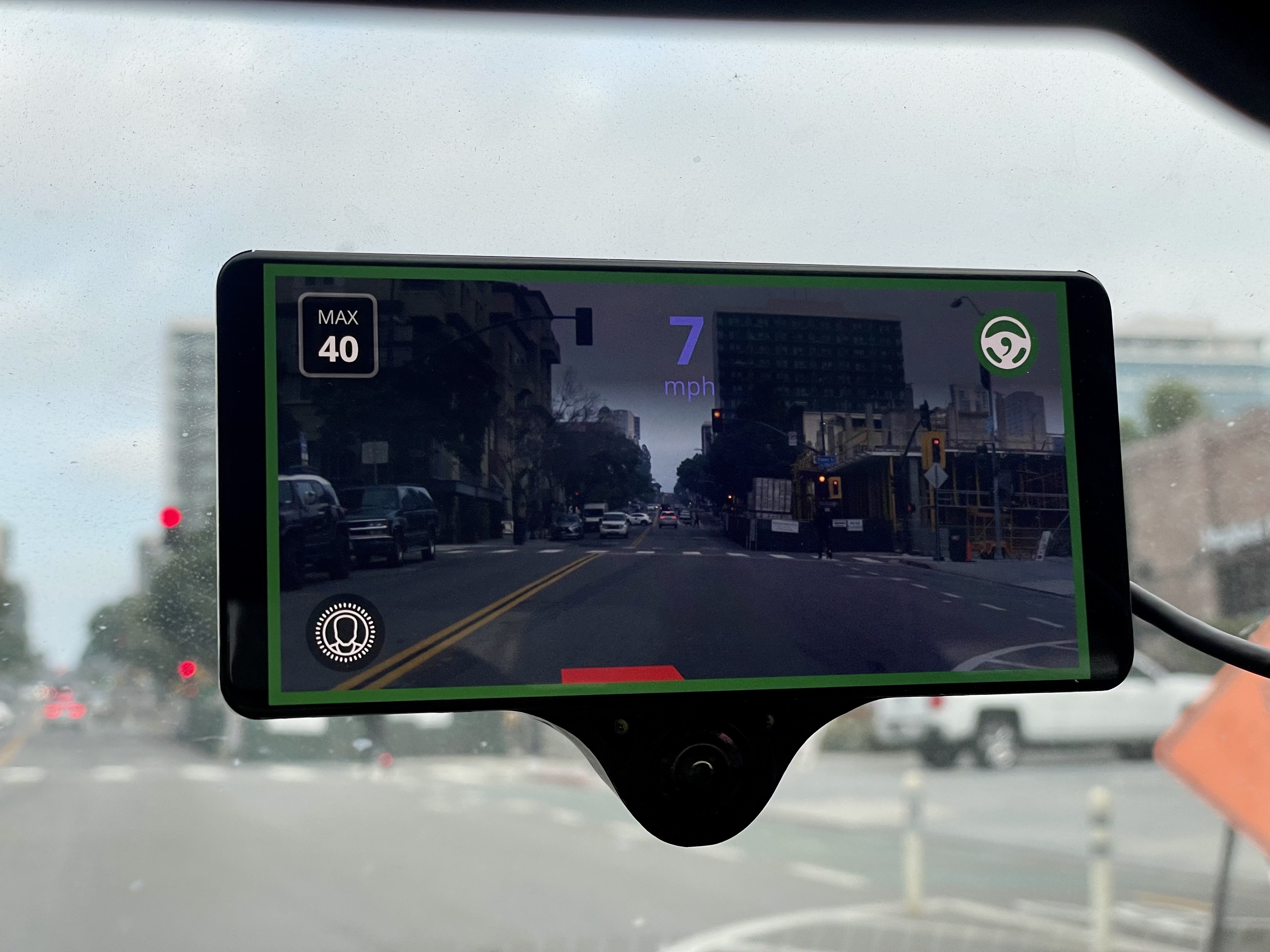
You’ve now successfully modified Openpilot’s UI and deployed it to your own car!
|
||
|
||
|